Comet Tunnel
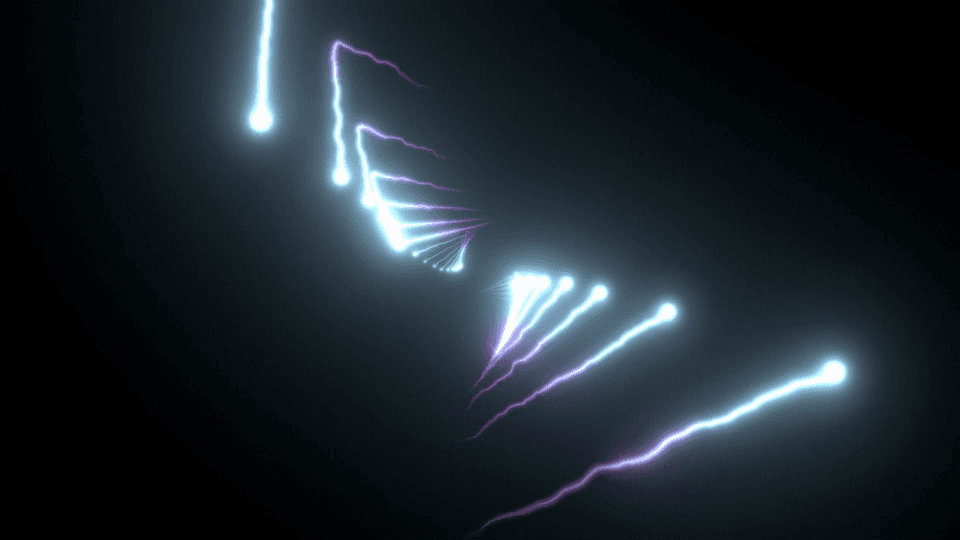
Neon comets racing down a 3D tunnel
A tunnel of glowing outlines in real 3D. Comets with white-hot heads race along every ring, and each ring further down replays the motion a moment later, so the energy pours into the distance. Hairline trails that crackle on quiet passages turn into blazing neon on the drop, and the outline changes shape when the track hits.
- 3D
- Neon
- EDM
- Camera
How Comet Tunnel reacts
The tunnel is one outline repeated into the distance: a hexagon, square, triangle, star or circle, each copy a little further away and turned slightly, so the rings twist as they recede. It is rendered in true 3D with a perspective camera and bloom, not layered 2D, which is why it still reads as a tunnel when you turn the camera to look along it from the side.
Comets travel along every ring, evenly spaced and always opposite each other, with a white-hot head and a trail that runs from the head colour to the tail colour. Every ring further down repeats what the front ring did a moment earlier. That echo is what makes the motion look as if it is pouring into the tunnel rather than spinning in place.
The music sets the thickness. On a quiet passage the trails are hairlines that crackle like electricity; when the drop lands they swell into fat neon strokes and the glow blooms around them. Silence, fade-ins and fade-outs dim the comets until they disappear, and the rings further down fade a moment later, so a fade-out drains down the tunnel.
With the shape set to change on drops, the outline switches when the energy surges well above its own recent average after a dip. The test is relative to the track, so it behaves the same on quiet and loud masters, and on a track without clear drops the shape still moves on every twenty seconds while the music plays.
What it suits
- EDM, dubstep, drum and bass and trance, where the build and the drop are the point
- Mixes and DJ sets, where the shape changing on drops keeps a long video moving
- Channel intros and loops, with your logo added on top as an image layer
- Vertical 9:16 Shorts and Reels: the tunnel is centred, so it crops cleanly
Controls
Everything you can change on Comet Tunnel, in the order it appears in the panel.
- Color mode
- Gradient runs from the head colour to the tail colour along every trail. Solid uses one colour, and Auto theme takes the colours from your cover art, brightened so they glow.
- Head color / Tail color
- The comet's front and the end of its trail. Cyan into pink by default.
- Background
- Black by default. Show the Vizqon background lets your blurred cover or background image glow through behind the comets.
- Shape
- Change on drops, or a fixed hexagon, square, triangle, star or circle.
- Tunnel depth (rings)4-32, default 16
- How many rings the tunnel has. More rings reach further into the distance.
- Ring spacing / Twist0.2-2 / -30° to 30°
- The gap between rings, and how far each one is turned from the one in front.
- Echo delay0-0.3 s, default 0.06
- How much later each ring replays the motion. Zero lines every ring up; longer delays spiral the comets down the tunnel.
- Comets per ring / Comet speed1-4 / 0-2
- How many comets share each ring, and how fast they travel. Speed also rises with the music.
- Trail length / Thickness0.05-0.6 / 0.2-3
- How much of the ring a trail covers, and its overall weight.
- Drop swell0-2.5, default 1.7
- How much fatter the trails get when the music is loud. Lower it for a steadier look.
- Electric crackle0-1, default 0.5
- The jagged, lightning-like wobble on quiet trails. It smooths out as the music gets louder.
- Fade out when quiet / Full strength from (dB)0-1 / -50 to -10 dB
- How fully the comets fade in silence and fades, and the loudness from which they are at full strength. Lower the level if a soft song looks too dim.
- Tunnel spin / White-hot core-1 to 1 / 0-2
- A slow rotation of the whole tunnel, and how white the comets' cores burn.
- Camera turn / tilt / roll-70° to 70° / -60° to 60° / -180° to 180°
- Where the camera looks from. Turn it to see the tunnel side-on in 3D, or roll it for a tilted frame.
- Camera distance / Field of view2-14 / 30°-110°
- How close the camera sits to the tunnel mouth, and how wide its lens is.
- Auto orbit / Push on the beat0-1 / 0-1
- A slow automatic drift of the camera, and how far it pushes into the tunnel when the music hits.
- Glow / Reactivity / Smoothing0-3 / 0-2.5 / 0-1
- Bloom around the comets, overall sensitivity to the music, and how slowly the trails thin out after a hit.
Questions
Where is my cover art?
Comet Tunnel is built to stand on its own, so it has no cover by default. Add your artwork or logo as an image layer and it sits on top of the tunnel, and your title and artist text show as usual.
Why do the comets disappear at the start of my song?
They fade with the sound, so a silent intro or a slow fade-in starts dark and the comets arrive with the music. Lower Fade out when quiet to keep them visible, or lower Full strength from (dB) if your whole track is mastered quietly.
The shape never changes. What should I check?
Make sure Shape is set to Change on drops. It switches on clear drops, and on tracks without them it still changes every twenty seconds while music plays. Raising Reactivity makes drops stand out more.
Can I make it look like the camera is flying sideways past the tunnel?
Yes. Turn the camera to around 40° and tilt it a little, then add some Auto orbit. Because the scene is real 3D, the rings keep their depth from any angle.
Guides for this style
How-tos that fit how people usually use this look — not a generic list.
Similar styles
Render Comet Tunnel with your own track
Load a song, adjust the parameters live, and export up to 4K with no watermark.